Practice decisions. No headset required.
Interactive Web3D
Immersive Training
Unity-built interactive simulations that run in any web browser. Learners navigate real-world scenarios, make decisions under pressure, and experience consequences—without leaving their desk or requiring specialized hardware.
Immersive safety training in your browser
Real-world practice. Everyday equipment.
01
Real-World Practice Without the Risk
Employees practice procedures, identify hazards, make decisions, and learn from consequences in realistic 3D scenarios—without exposure to actual workplace dangers.
02
No Headset or Special Equipment Required
Web3D simulations run directly in a web browser, making immersive safety training easier and more cost-effective to deploy across employees, locations, and remote teams.
03
Build Skills Through Active Learning
Employees actively work through realistic scenarios that develop hazard recognition, procedural knowledge, and real-world decision-making skills.
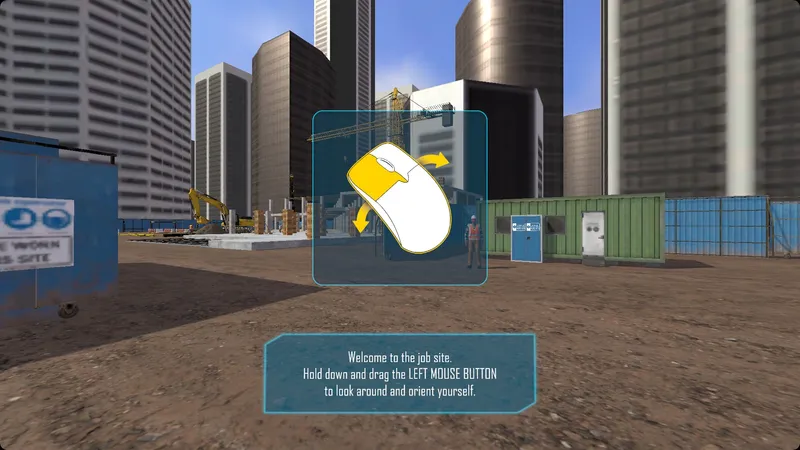
Example interactive Web3D simulation.
Navigate. Decide. Learn.
Turn safety knowledge
into decisions.
Learners navigate realistic workplace scenarios, identify hazards, practice procedures, and experience the consequences of their choices.
Active participation helps build hazard recognition, procedural knowledge, and decision-making skills without exposure to actual workplace dangers.
No headset or special equipment required
Immersive training.
Right at your desk.
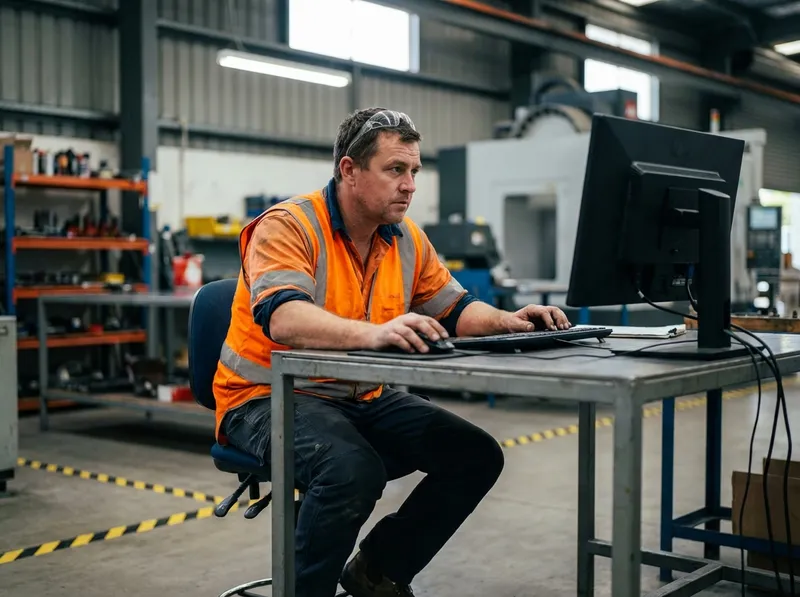
Unity-built Web3D simulations run directly in a web browser. Employees can work through real-world scenarios without leaving their desk or requiring specialized hardware.
That makes immersive safety training easier to deploy across employees, locations, and remote teams.
Find the right scenario for your team
Our Complete List of Safety Training Immersive Courses
Swipe horizontally to view all course details.
| Course title | Duration | Format | Language |
|---|---|---|---|
| Chemical Spill Cleanup | 10-15 min | VR, Web3D | English, Spanish |
| Confined Space Entry | 10-15 min | VR, Web3D | English, Spanish |
| Direct Report Meeting | 10-15 min | VR, Web3D | English |
| Electrical Hazards | 10-15 min | VR, Web3D | English, Spanish |
| Fall Protection | 10-15 min | VR, Web3D | English, Spanish |
| Fire Evacuation | 5-10 min | VR, Web3D | English |
| Fire Extinguisher | 10-15 min | VR, Web3D | English, Spanish |
| Fire Hazard Awareness | 10-15 min | VR, Web3D | English, Spanish |
| First Aid: Blood Borne Pathogens | 10-15 min | VR, Web3D | English, Spanish |
| First Aid: CPR & AED | 10-15 min | VR, Web3D | English, Spanish |
| Forklift Inspection | 10-15 min | VR, Web3D | English, Spanish |
| Forklift Operation | 15-20 min | VR | English, Spanish |
| Getting Started in VR | 10-15 min | VR | English, Spanish |
| Ladder Safety | 10-15 min | VR, Web3D | English, Spanish |
| Lockout Tagout: Electrical Room | 10-15 min | VR, Web3D | English, Spanish |
| Magnum DS Breaker – In Collaboration with EATON | 15-30 min | VR | English |
| Medium Voltage Switch – In Collaboration with EATON | 15-30 min | VR | English |
| NPX Breaker – In Collaboration with EATON | 15-30 min | VR | English |
| Picking: Back-End Labeling | 15-20 min | VR | English |
| Picking: CASE | 15-20 min | VR | English |
| Picking: Front-End Labeling | 15-20 min | VR | English |
| Pre-Trip Inspection | 30-45 min | VR | English |
| Responding To Anger | 10-15 min | VR, Web3D | English |
| Scaffolding | 10-15 min | VR, Web3D | English, Spanish |
| Scissor Lift Inspection | 10-15 min | VR | English |
| Security Breach Awareness | 10-15 min | VR, Web3D | English, Spanish |
| Switchboard Operations – In Collaboration with EATONG | 15-20 min | VR, Web3D | English |
| Trenching & Excavation | 10-15 min | VR, Web3D | English, Spanish |
| Uninterruptible Power Supply – In Collaboration with EATON | 30-45 min | VR | English |
| Warehouse Hazard Awareness | 10-15 min | VR, Web3D | English, Spanish |
| Warehouse Picking | 10-15 min | VR | English |
| Working At Heights | 10-15 min | VR, Web3D | English, Spanish |
A few helpful answers
What is Web3D?
What is Web3D immersive training?
Web3D uses Unity-built interactive simulations that run in a web browser. Learners navigate workplace scenarios, make decisions, and learn from the consequences.
Do learners need a VR headset?
No. Web3D simulations run in a web browser without a headset or specialized hardware. Courses listed as VR-only use a different training format.
How is this different from watching a training video?
Learners actively navigate scenarios, identify hazards, practice procedures, and make decisions rather than only watching a video or clicking through slides.
Let’s build your next step
Better training starts
with a conversation.
Tell us what your workforce needs. We’ll help you explore the options.